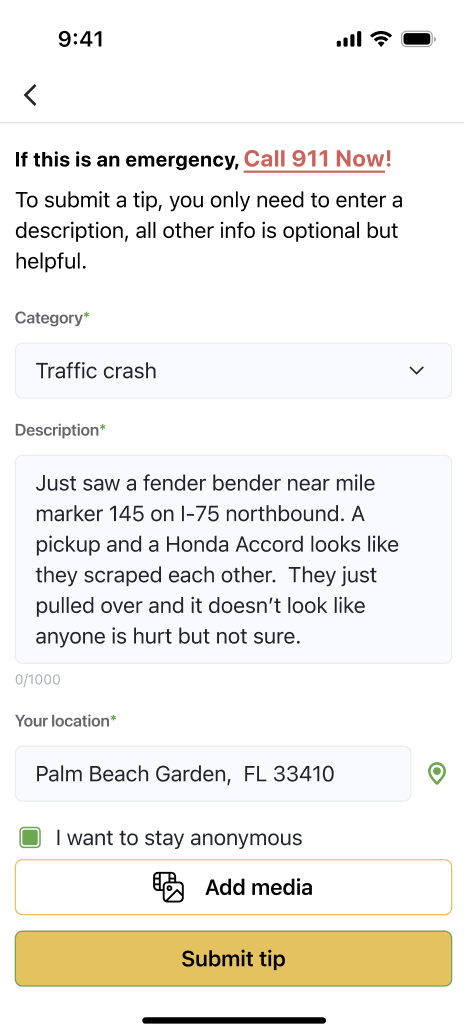
See something suspicious? Report it easily.
📞 Important: This is for non-emergencies only. If it’s urgent or dangerous, call 911 right away
Use the FHP App to report incidents like:
- Crashes
- Street racing
- Human or drug trafficking
- Fires
- Abandoned or disabled vehicles
To send a report:
- Tap Report Accident or choose a category on the main screen.
- Type a short description of what you saw.
- Add your location — or pick it on the map.
- (Optional) Upload photos or videos.
- (Optional) You can stay anonymous.
Then tap Submit Tip. That’s it!
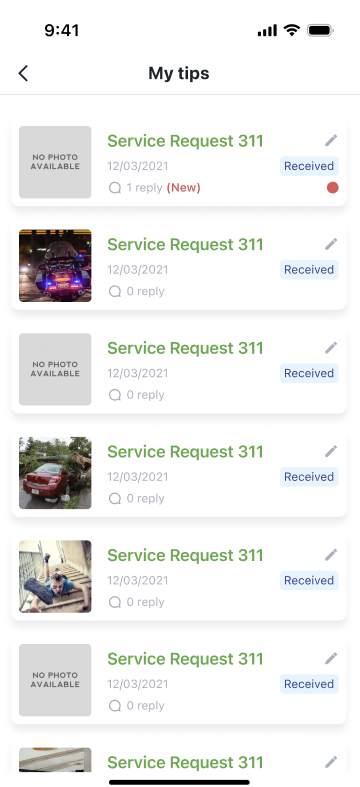
To follow up on your reports:
- Go to My Tips from your profile.
- You’ll see a list of all your past reports.
- Tap one to:
- Add more info or photos
- Chat privately with FHP (if they reply)
- Delete it if needed