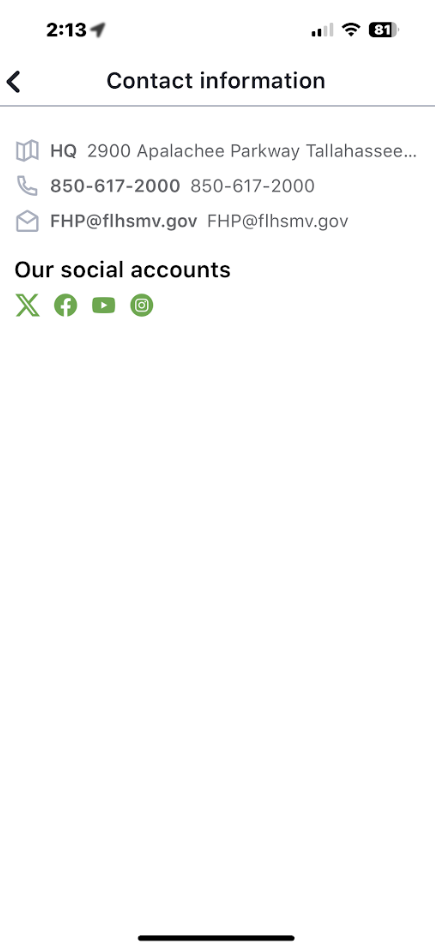
This section controls what appears on the “Contact Information” screen in the mobile app. It includes official email addresses, phone numbers, locations, and social media accounts. All items here are intended to help citizens reach or follow FHP through reliable and centralized contact points.
🔐 Access & Permissions
| Role | Access Description |
|---|---|
| Admin | ✅ Full access: can create, edit, and delete contact items |
| Editor | ✅ Full access: same as Admin |
| Dispatch | ❌ No access to this section |
✅ Editors can manage contact visibility in the mobile app by adding or updating items across all categories.
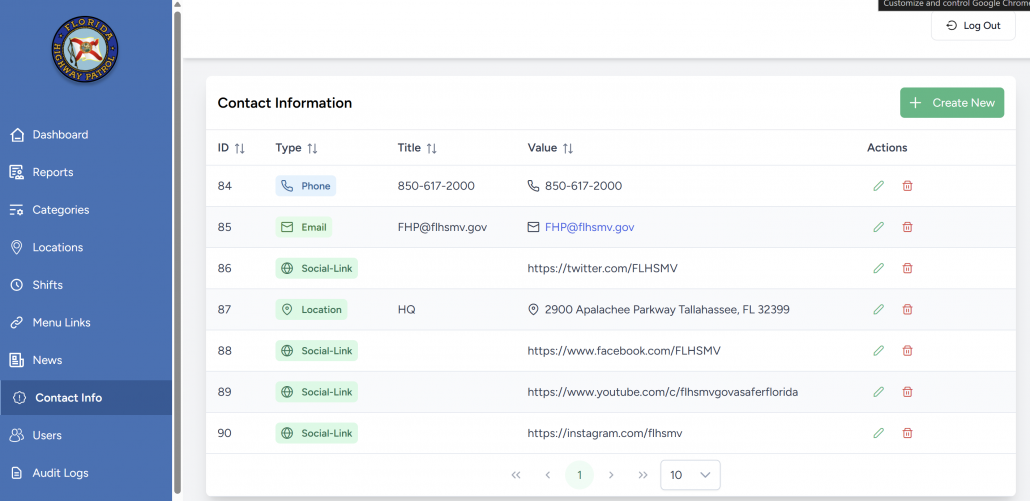
🧩 Types of Contact Items
| Type | Displayed As | Behavior in App |
|---|---|---|
| Address | Full address line with coordinates | Opens in native map app |
| Phone | Tappable phone number | Opens phone dialer |
| Tappable email address | Opens mail app | |
| Social Link | Icon-based (Facebook, Twitter, YouTube, Instagram) | Opens in mobile browser |
| Location | Label, place search, driving directions | Opens in native map app with pre-filled directions |
➕ Creating a New Contact Item
- Click Create New (green button).
- Select a Type from the dropdown menu.
- Fill out type-specific fields:
- Phone/Email/Social Link → enter a display name and value.
- Address → street + coordinates.
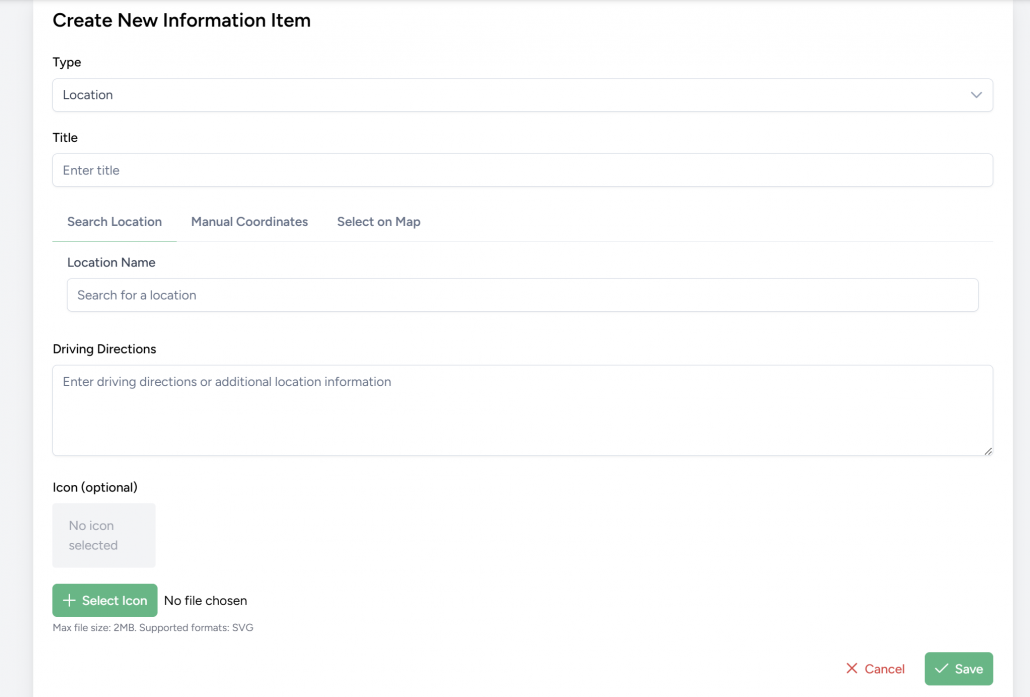
- Location:
- Title
- Location Name (search via OpenStreetMap)
- Driving Directions (optional text)
- Custom Icon (SVG upload, max 2MB)
- Click Save.
🧭 Editing & Managing Entries
- Use the pencil icon 🖉 to edit any item.
- Use the trash icon 🗑️ to delete (no confirmation prompt).
- Use pagination controls to view all records.
✅ All entries are immediately reflected in the app’s Contact Information screen.
📱 How It Appears in the App
- Contact items are grouped visually:
- Address, Phone, Email, Driving Directions
- Social Links (icon row at the bottom)
- Interactions:
- Phone number taps open the dialer.
- Emails open in user’s default email client.
- Social links open in browser.
- Driving directions open in native maps app.