
The Locations module in the Admin Panel plays a dual role:
- Call Routing: Determines which phone number is dialed when users tap the *FHP call button in the app.
- News Targeting: Editors select locations to control where news items are published and shown in the app.
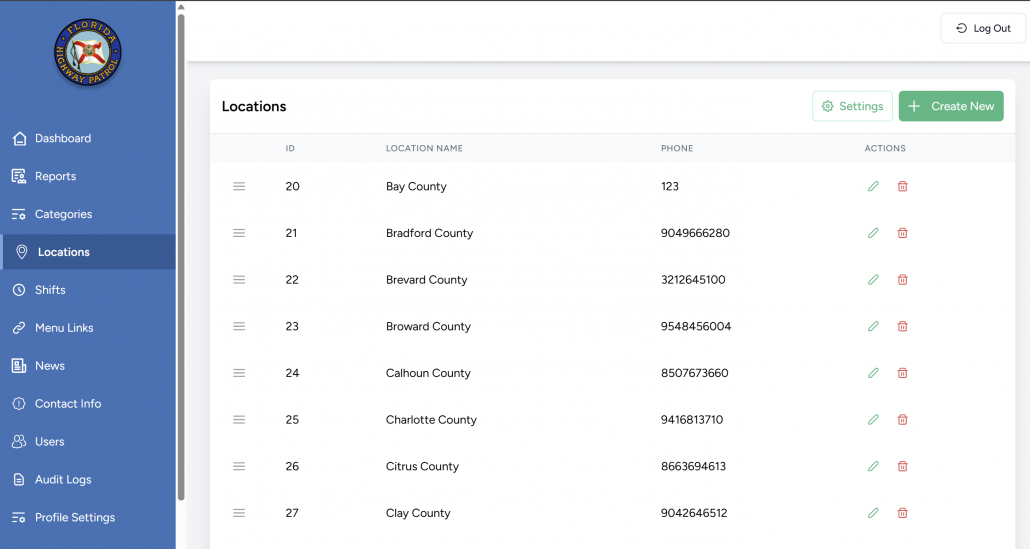
🗂️ Locations Table Overview
Each row in the table shows:
| Column | Description |
|---|---|
| ☰ Drag Handle | Allows drag-and-drop reordering. |
| ID | Unique internal location ID. |
| Location Name | Official county name (e.g., “Broward County”). |
| Phone | Call number assigned to that specific county. |
| Actions | ✏️ Edit or 🗑️ Delete the location. |
Admins can:
- Click Settings to configure the fallback (default) phone number.
- Use Create New to add a new location.
🆕 Creating a New Location
Click Create New to open the location form.
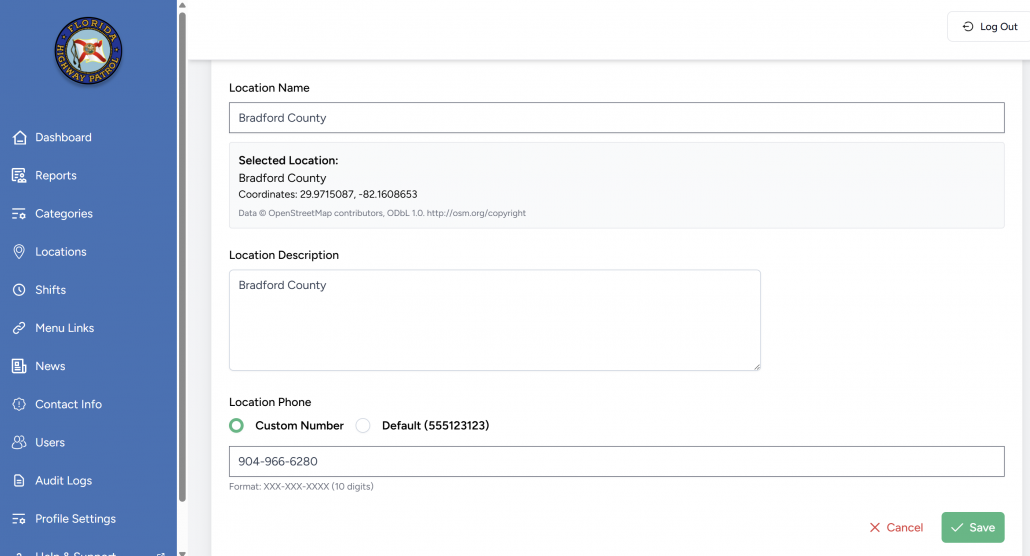
| Field | Description |
|---|---|
| Location Name | Searchable — tied to OpenStreetMap to automatically fetch coordinates. |
| Location Description | Optional description or metadata. |
| Location Phone | Choose one of: |
| – ☎️ Custom Number – used for local routing. | |
| – 🚨 Default Number (123) – fallback. |
✅ Click Save or ❌ Cancel to exit.
✏️ Editing an Existing Location
Editing a location allows Admins to:
- Change the name or description.
- Update the assigned phone number.
- Review GPS coordinates linked via OpenStreetMap.
🧭 Coordinates are used internally for consistent geofencing or display.
⚙️ Location Settings (Default Phone Number)
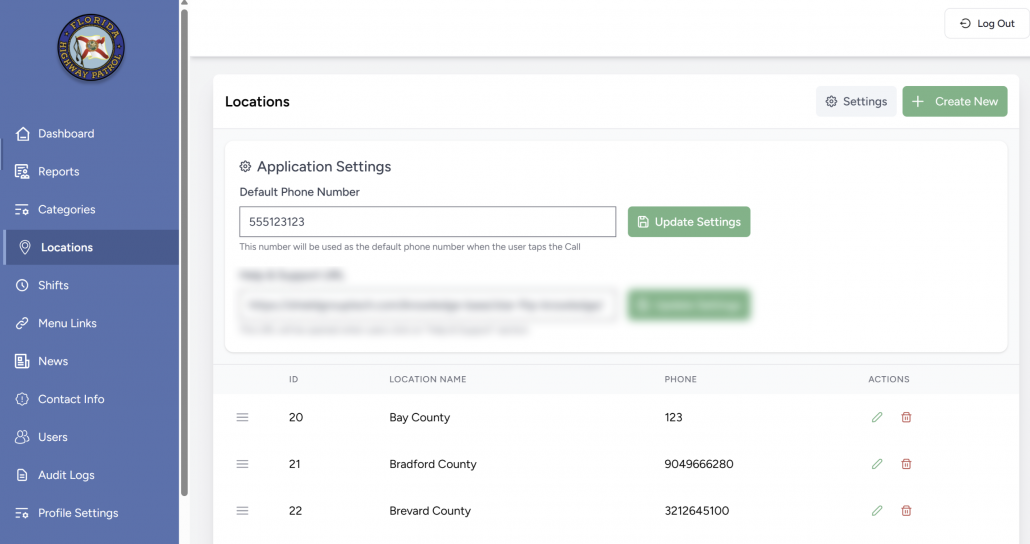
Accessed via the Settings button.
📝 Description:
“This number will be used as the default phone number when the user taps the Call FHP button in the app.”
This number is dialed if no specific number is assigned to the user’s selected location.
📰 Location-Based News Publishing
Users with the Editor role can assign one or more locations to each news item.
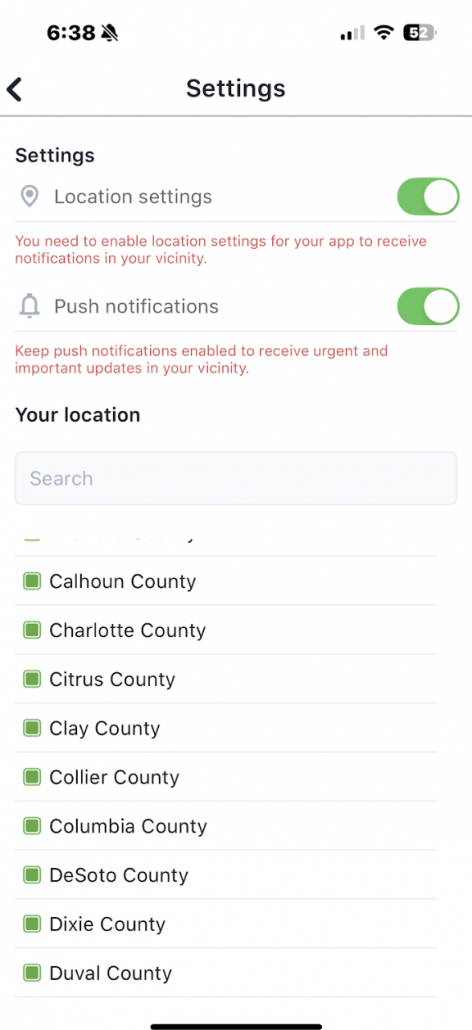
- News will only appear in the app for users subscribed to those counties.
- This enables regional targeting (e.g., brush fire alerts in specific counties).
📲 In-App Location Usage
- News Filtering
- Citizens only see news tied to their selected counties.
- *Call FHP Button
- Taps initiate a call to the county-specific number (if assigned).
- If not assigned, it falls back to the default number from Settings.
🗑️ Deleting a Location
Clicking the 🗑️ icon removes the location after confirmation.
⚠️ Consider impact on reports, news, or call routing before deleting.
✅ Best Practices
- Use full county names without abbreviations.
- Assign real, live contact numbers where possible.
- Keep the default number updated as organizational contacts evolve.
- Ensure each news item has appropriate location targeting.
- Include all counties in the list to ensure consistent mobile app coverage.