
The Profile Settings section allows users to manage their account information, passwords, authentication, and browser session security. It is accessible to all user roles — Admin, Dispatch, and Editor — and includes multiple sub-features to ensure personalized and secure access.
✏️ Profile Information
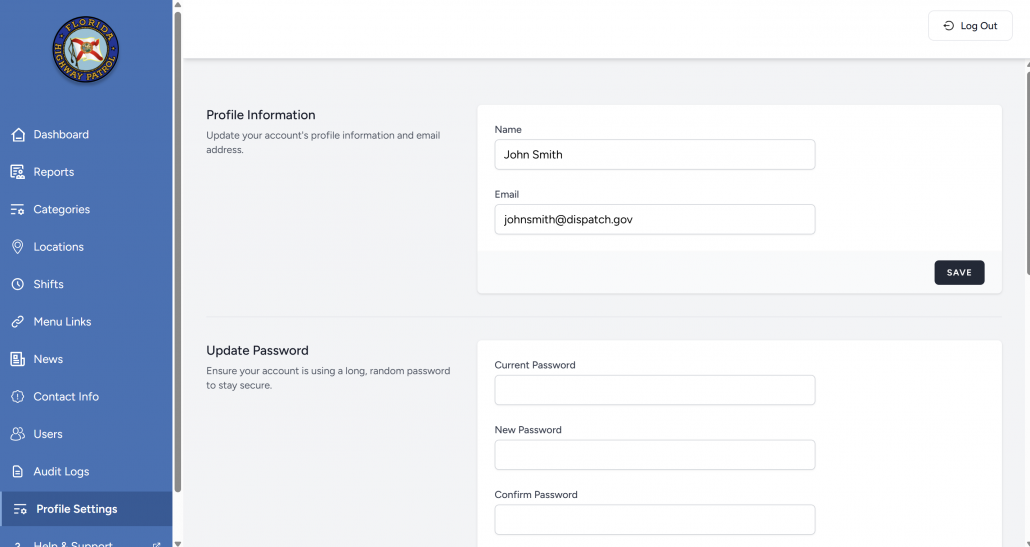
This section allows users to update their display name and email address.
- Name: This is the name displayed in the Admin Panel and associated with changes shown in the Audit Logs.
- Email: The email address is used for login and potentially for receiving system alerts (depending on your role and forwarding settings).
To update: Enter new values and click Save.
🔐 Update Password
To improve account security, users can change their password at any time.
Fields required:
- Current Password
- New Password
- Confirm Password
Passwords must meet any enforced security criteria (e.g., length or complexity).
After a successful update, the new password will be required on the next login.
🌐 Browser Sessions
This section shows active sessions across browsers and devices.
Details shown include:
- Browser type (e.g., Windows – Chrome)
- IP address
- Whether it’s the current device
Users can:
- Log out other browser sessions with one click
- Use this feature if they suspect account misuse or simply want to sign out from other locations
🗑️ Delete Account
This option permanently deletes the user’s Admin Panel account.
⚠️ Warning: Deletion is irreversible.
Once deleted:
- All access to the Admin Panel is lost
- Related user data is erased (depending on system configuration)
To proceed:
- Click Delete Account
- The system will ask for confirmation
Users should download any necessary data before proceeding.