
The News section is used to publish alerts, announcements, and updates to citizens via the FHP mobile app. These news posts are targeted by location and optionally include images, display periods, and push notifications.
This tool is available to both Admin and Editor roles.
🗂️ News Table Overview
Each row in the news list shows:
| Column | Description |
|---|---|
| ID | Unique identifier of the news item. |
| Title | News headline. |
| Date | Creation or last updated timestamp. |
| Status | Can be Draft, Published, or Inactive. |
| Display Period | Optional timeframe controlling visibility. |
| Locations | Number or name of counties targeted (e.g., “Baker County” or “67 locations”). |
| Actions | ✏️ Edit |
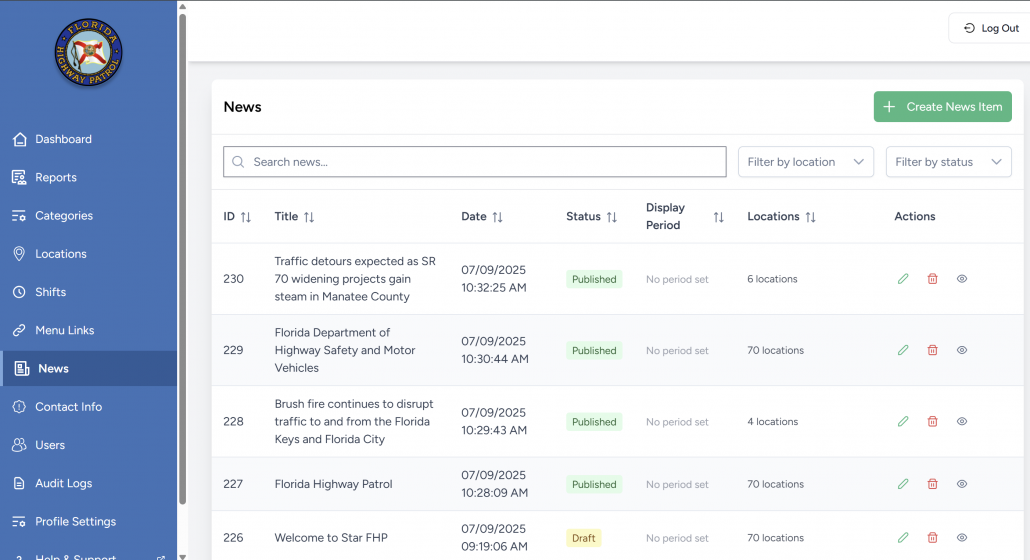
Search, filter by location, or filter by status using the controls above the table.
➕ Creating News Content
Click “Create New” to open the editor form.
Fields:
| Field | Description |
|---|---|
| Title | Required. Headline of the news post. |
| Description | Rich text content area. Can include formatting, links, and embedded media. |
| Locations* | Choose one or more counties. Must be selected to publish. |
| Cover Image | Optional visual header (Max 2MB, JPG/PNG/GIF). |
| Status | – Draft: save only. – Published: visible to users. – Inactive: hidden. |
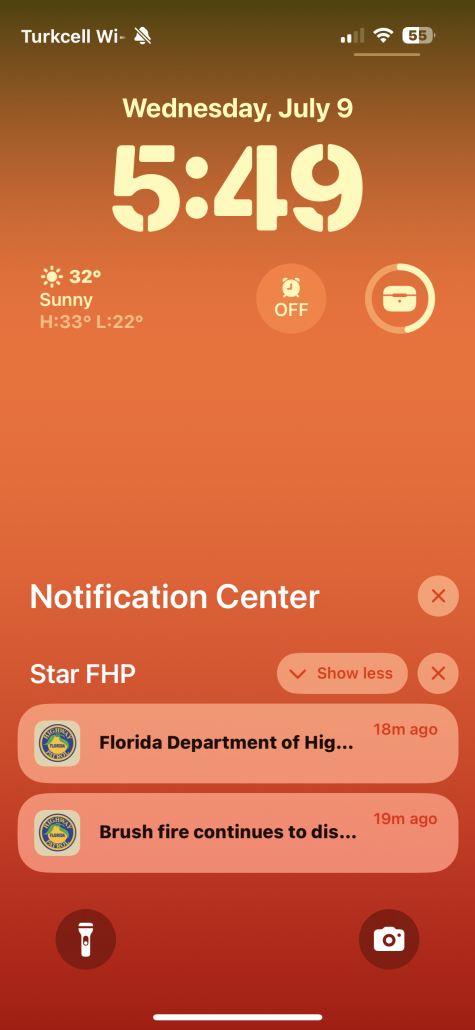
| Send push notification | If checked, sends a push to users in selected counties. |
| Display Period | Optional start and end time for timed publishing. |
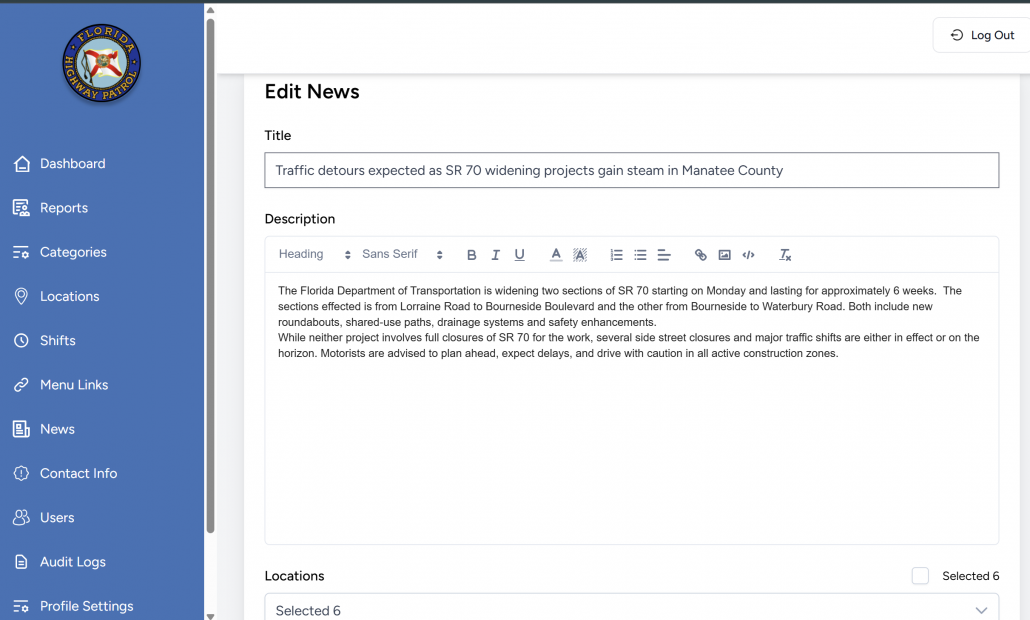
✅ Click Publish News to post, or Save as Draft to store for later.
✏️ Editing Existing News
Click the ✏️ icon to edit any entry.
- You can update:
- The text or title
- Location targeting
- Image
- Status
- Display timeframe
- You may also re-enable or disable push notifications if needed.
📲 How News Appears in the App
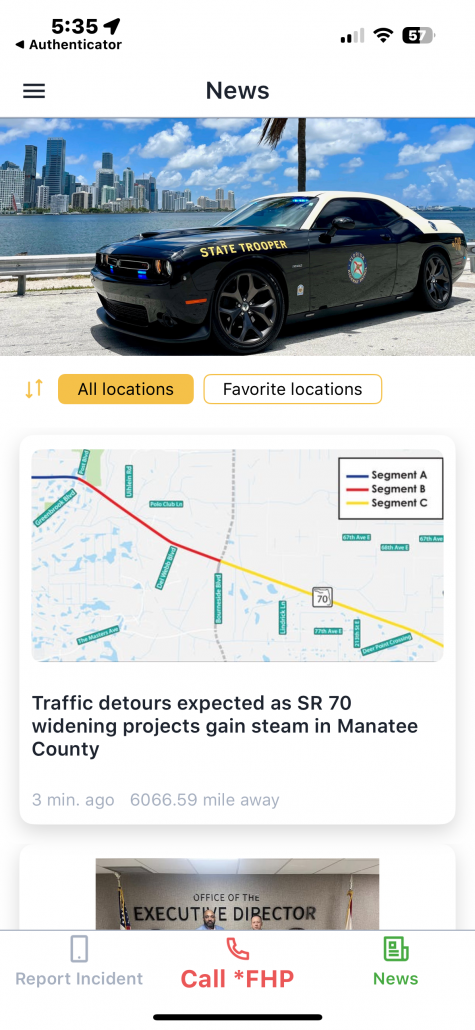
The mobile app shows:
- News Feed (Main Screen)
- Posts appear in card format with location label (e.g., “Bay County”) and preview text.
- Filter options:
- “All locations”
- “Favorite locations” (user-subscribed counties)
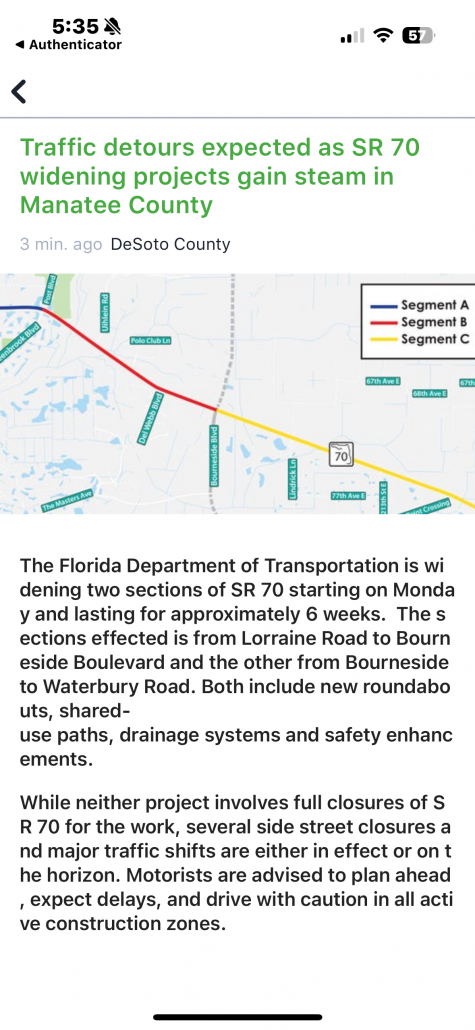
- News Article View
- Full article with image, title, date, and body content.
- The system shows the originating county to the user (based on their selected locations).
🛠️ Technical Behavior
- Users only see news from the locations they’ve subscribed to unless they select All Locations in their apps.
- News visibility can be timed (via Display Period) or manually toggled.
- Push notifications will only go to users with:
- The corresponding location selected, and
- Notifications enabled in their mobile settings.
🧠 Best Practices for Editors
- Use clear, urgent titles for alerts (e.g., “Brush Fire Advisory in Orange County”).
- Always assign accurate locations — avoid sending irrelevant news to broad audiences.
- Only use push notifications for urgent or critical content.
- Choose display periods for temporary alerts (e.g., detours or outages).
- Add images where appropriate to increase engagement.