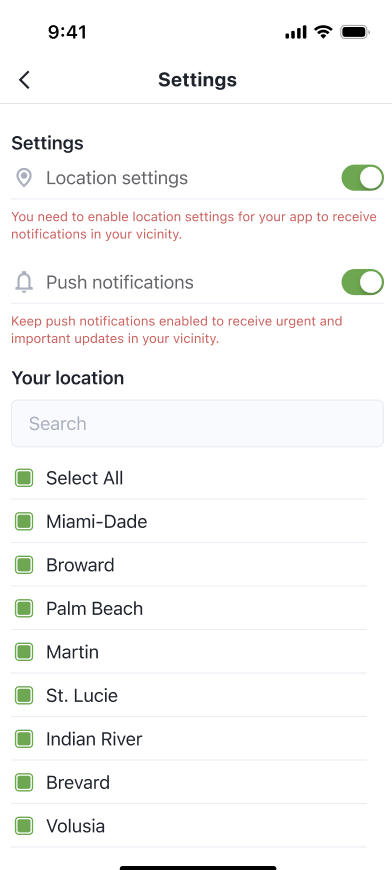
Customize the app the way you like it.
Keep both location and push notifications ON to stay informed wherever you are.
You can control how the app works and what updates you receive.
Go to Settings:
- Tap the menu icon (☰) or look for the gear icon ⚙️.
- Inside, you can:
✅ Turn Location Settings ON or OFF
✅ Turn Push Notifications ON or OFF
✅ Update the list of counties you follow
✅ Use the search bar to quickly find your area