Stay informed where it matters most.
You’ll only receive alerts from the counties you’ve selected.
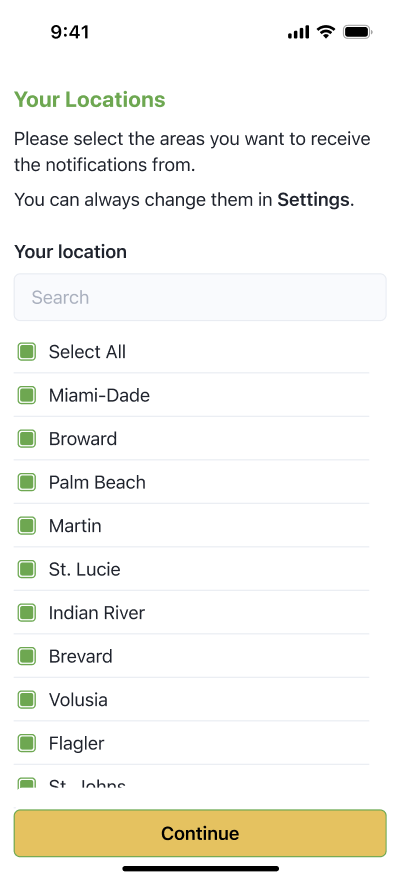
The FHP App lets you pick which counties you want to follow. You’ll get updates about traffic incidents, criminal activity, fires, and more.
To choose your locations:
- On your first time using the app, you’ll be asked to select counties.
- Tap ✔ next to any counties you want updates from (like Miami-Dade, Palm Beach, etc.).
- You can select just one or tap Select All to follow the whole state.
You can also go to the Settings anytime to change these.
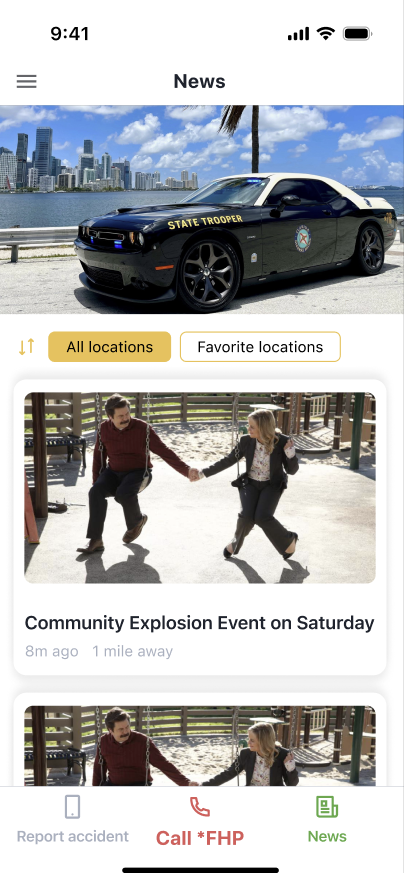
In the News section:
- Tap News in the bottom menu.
- Choose to view updates from All Locations or only your Favorite Locations.
- Tap any story to read more details.